
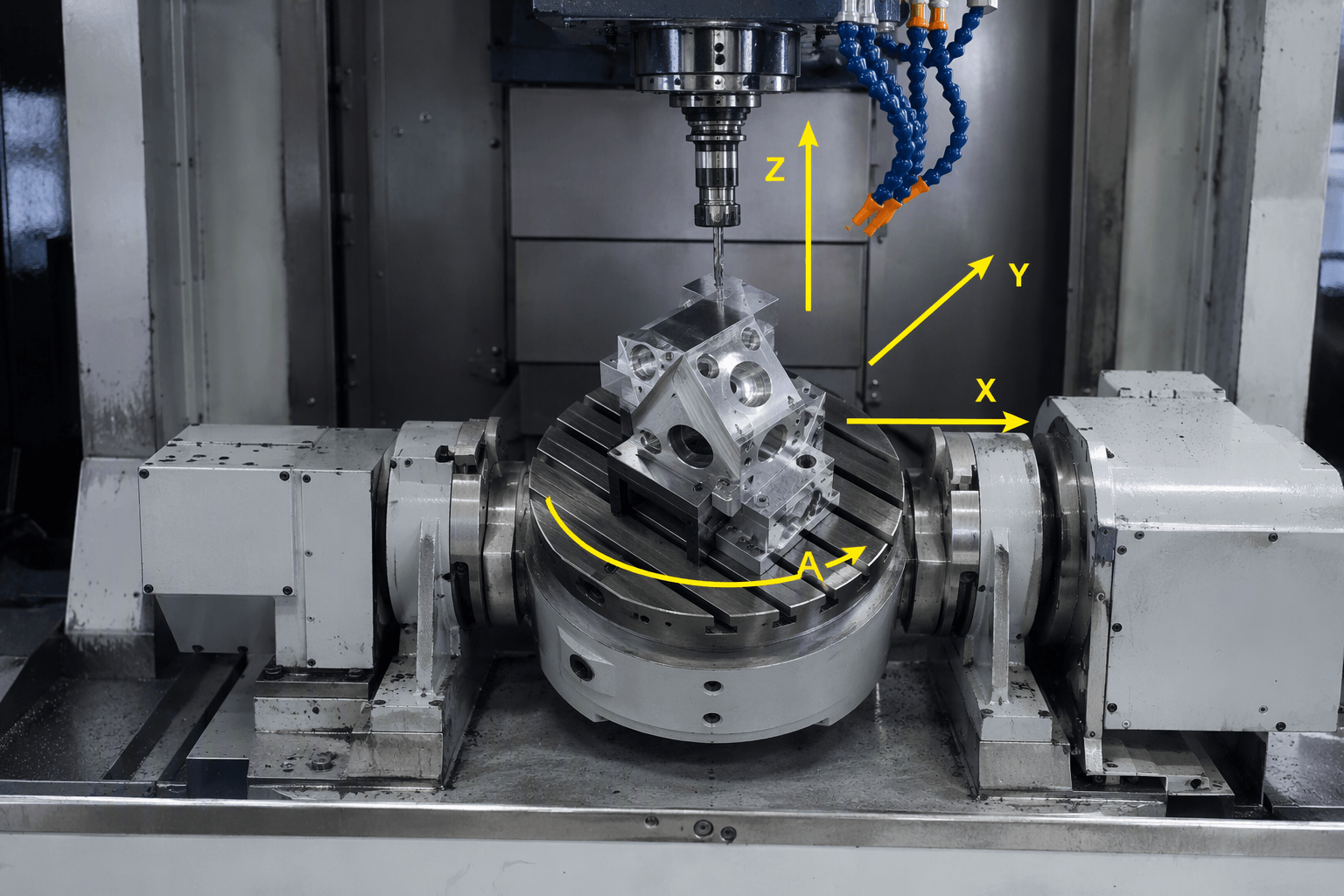
4th axis milling combines X, Y, and Z linear motion with one rotary axis, allowing a workpiece to be positioned around its circumference or rotated during cutting. Depending on machine configuration, the rotary axis is designated A (about X), B (about Y), or C (about Z). Some operations index the part and stop rotation before cutting; others coordinate rotary motion with the cutter while cutting.
Consider a shaft-like component with holes, flats, or grooves on several sides. A three-axis mill can reach those features by repositioning the part, but each new orientation may require another setup. A rotary axis changes how the part is presented to the cutter. Whether that helps depends on feature geometry, tool approach, workholding, and the machine’s supported motion.
What changes at the cutting point?
A conventional three-axis mill moves its tool or workpiece along X, Y, and Z. The cutter approaches from directions available within those linear travels, while the part stays in one orientation unless an operator or fixture repositions it. A fourth axis adds rotation around one linear axis. On many vertical mills, an A-axis rotary unit turns the part around the X axis, though other machine layouts and axis assignments exist.
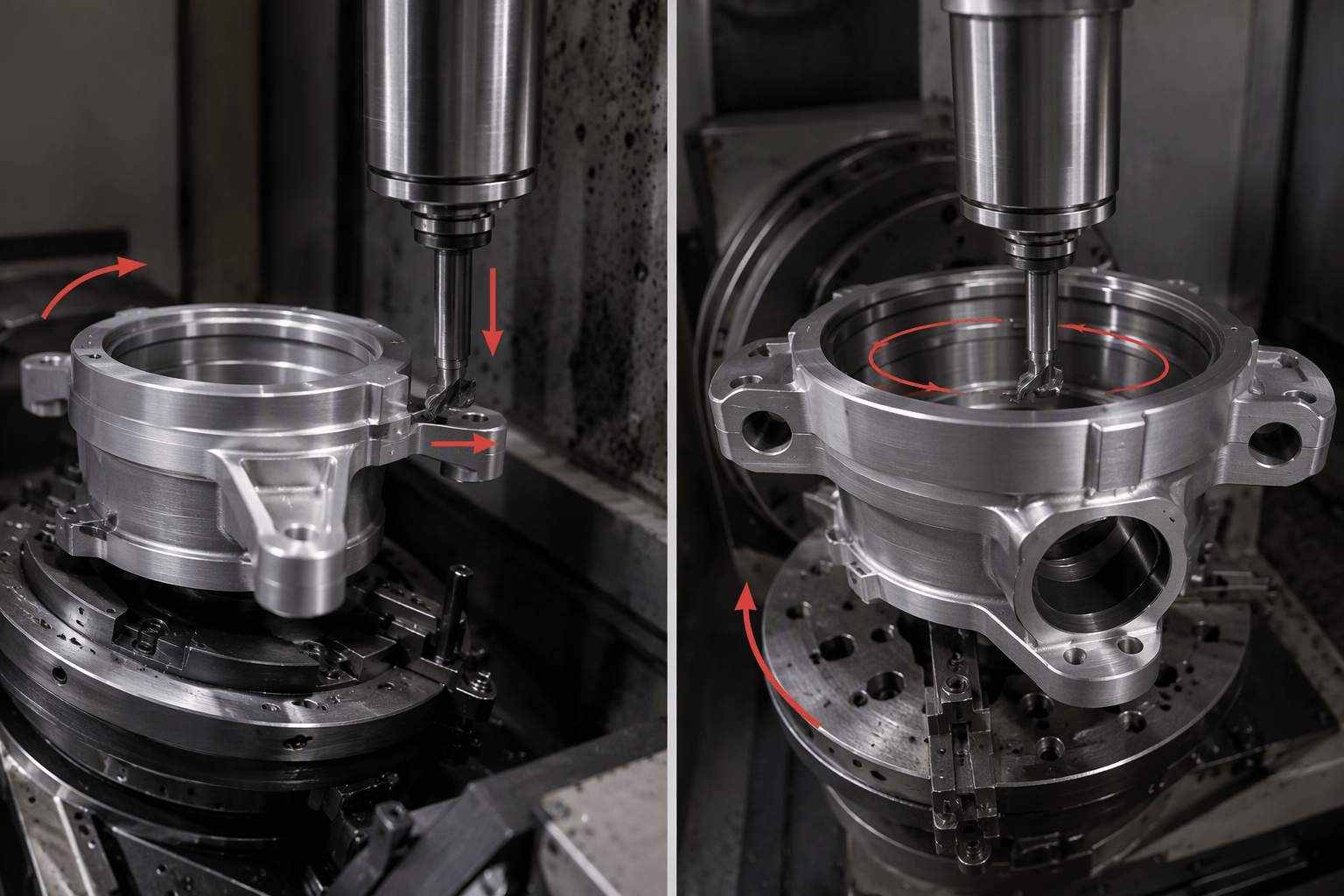
That rotation can be used in two distinct ways. In indexed machining, the rotary axis moves to an angle, stops, and holds position while the cutter makes a feature. The operator or program then indexes to another angle for the next cut. In coordinated rotary cutting, the rotary axis moves as part of the toolpath while material is being removed. The cutter’s linear movement and the workpiece’s rotation are programmed together.
| Configuration | Additional access | Typical consideration |
|---|---|---|
| 3-axis | Linear tool motion relative to one setup orientation | Other faces may need manual repositioning or a dedicated fixture. |
| 4-axis | One rotary degree of freedom, used for indexing or coordinated cutting | Features around the rotary axis may be approached without removing the part, subject to clearance and tool access. |
| 5-axis | Two rotary degrees of freedom in addition to X, Y, and Z | Extra tool-orientation options can help with compound angles, but do not make every surface reachable. |
A fourth axis is not a substitute for turning. CNC turning rotates the workpiece against a cutting tool in a different machining process; a rotary unit on a mill presents the work to a milling cutter. Some parts combine turned and milled features, but the process choice depends on geometry and the required operations.
Which features need indexing, and which need rotary motion during cutting?
Start by locating each feature relative to the rotary centerline and asking which direction the cutter must approach. A face, hole, or slot positioned around a cylindrical part may be reachable by rotating the part to a fixed angle. A feature that follows the circumference or changes continuously along the part may instead call for coordinated rotary movement. Neither method is determined by the feature name alone: geometry, cutter shape, and toolpath strategy matter.
| Part feature | Possible machining mode | Access check or alternative |
|---|---|---|
| Holes or flats on several sides of a shaft-like part | Index to each angle, stop, then cut | Check whether the tool reaches each face without hitting the chuck, support, or adjacent geometry. A fixture and multiple three-axis setups may also work. |
| A groove that wraps around a cylindrical surface | Coordinated rotary cutting may be suitable | Confirm that the cutter can follow the required path and that the CAM system and machine support coordinated motion. |
| A cam-like profile around a rotating workpiece | May use indexed or coordinated machining, depending on profile and tooling | Review the actual profile and required surface before choosing a toolpath; no single method applies to every cam geometry. |
| Gear teeth or other repeated angular features | Indexing may be one option | Tooling, tooth form, and the required process determine whether milling, a specialized method, or another operation is appropriate. |
The useful question is not simply whether a part is cylindrical. It is whether the rotary axis presents the required surface to a practical cutter approach. If a feature lies on an end face hidden by the chuck, or needs a tool orientation the machine cannot provide, rotation around one axis may not solve the access problem.
Walk through the rotary setup before programming
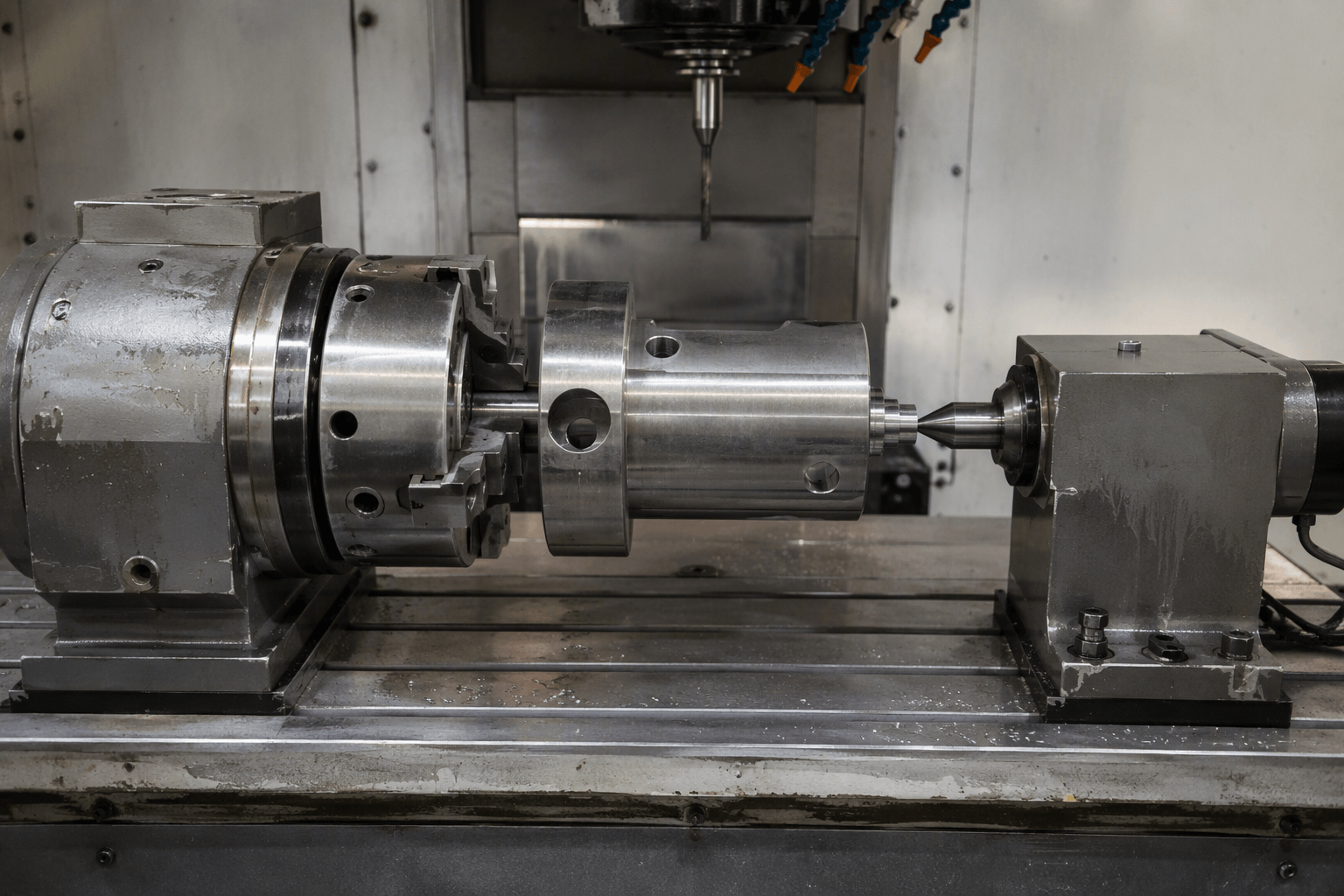
Illustrative setup: Imagine a shaft held in a chuck mounted on a mill table, with a tailstock or other support added if the part’s length and cutting loads require it. The rotary unit establishes a centerline. The work offset and program must relate the part’s features to that centerline so the commanded angular positions correspond to the intended locations.
- Align the rotary center. Establish the relationship between the rotary axis, machine coordinates, and part datum. Misalignment can shift feature locations as the part turns, so the setup method and work offset need to account for the actual fixture position.
- Check support and rigidity. A long or slender workpiece may deflect under cutting forces. The chuck, support arrangement, tool engagement, and overhang all affect stability. Support can improve rigidity, but it also occupies space and may limit access.
- Inspect the full swing envelope. Consider the part’s maximum radius as it rotates, not just its position at the starting angle. The workpiece, chuck jaws, tailstock, tool, and toolholder must clear the machine and one another throughout the motion. Available machine travel also has to cover the required toolpath and setup.
- Identify faces blocked by workholding. The chuck covers part of the workpiece, and a support can obstruct an end or nearby surface. A feature may require a second setup, a different grip, or a revised machining sequence. Re-clamping introduces another positioning step and may require checking how datums transfer.
Tool reach deserves the same attention as rotary clearance. A long tool may reach past a shoulder or fixture, but extra overhang can reduce rigidity. Conversely, a short toolholder may collide with a chuck or the part’s changing profile. A setup model or collision review can expose these conflicts before machining, provided the modeled machine, fixtures, and tools match the planned arrangement.
Match the CAM path to the machine’s actual motion
For indexed work, the control needs to position the rotary axis at the programmed angles and hold it during cutting. CAM software must support the relevant indexed orientations or allow an appropriate setup and toolpath workflow. The postprocessor must output commands compatible with that machine and its rotary-axis conventions.
Continuous rotary cutting needs more than a rotary unit that can be positioned. The CAM strategy must generate the intended coordinated path, and the controller and machine configuration must execute linear and rotary motion together while cutting. The machine-matched postprocessor must handle axis direction, limits, coordinate interpretation, and feed behavior appropriately. A simulation should check the tool, holder, workpiece, fixture, and machine for collisions and motion-limit problems.
These capabilities are specific to the machine and software combination. A rotary axis that can move between positions does not, by itself, establish that simultaneous four-axis cutting is supported. Nor do familiar circular interpolation commands alone prove that a particular control, postprocessor, and toolpath are configured for coordinated rotary machining. Confirm the intended operation with the machine documentation and a suitable CAM and postprocessor workflow.
Decide whether the extra axis earns its place
For a small number of simple features, a three-axis setup with manual repositioning or a dedicated fixture may be straightforward. Its tradeoff is the time spent resetting the part and re-establishing datums. If multiple sides need similar features, indexed machining can reduce repeated handling, but it adds rotary setup, programming, and clearance checks.
Coordinated rotary cutting is relevant when the required geometry calls for rotation during the cut; it also requires a capable machine-control-software chain and a suitable toolpath. If tool orientation must change in another direction to reach compound surfaces, five-axis access may be worth evaluating. It still cannot eliminate every fixture obstruction or guarantee that all faces can be completed in one setup.
The balance changes with recurring geometry and batch size. A repeat part may justify preparing a rotary setup and validating a reusable program. For a one-off part with accessible features, extra preparation may not be worthwhile. Compare the full sequence: fixture preparation, programming, setup count, datum transfer, cutting time, inspection access, and any remaining operations on other equipment.
For a custom CNC project, an available drawing or model, the faces or features that are difficult to access, and the expected batch size can make a manufacturability discussion more specific. These details help assess machining access and setup options without presuming a particular machine configuration. See custom CNC machining from first sample to repeat production for a related process overview.